Support

Contact us
Email support@riveting.app. Please include your iPhone model, iOS version, app version (shown on the App Store page), and what happened. We try to reply in 3 working days.
Frequently asked questions
What is Raindoku?
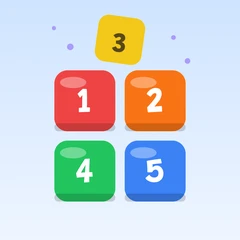
Raindoku is a puzzle game for iPhone. The board is a grid of colored number tiles. Swap any two tiles. When a row, column or box has one of each color, it pops. The tiles above fall, and new tiles rain in from the top. Pop a row, a column and a box with one swap for a DOKU.
Is Raindoku free?
Mini 4×4 is free, with all its levels. Classic 6×6 levels 1 to 8 are free. One purchase, “Raindoku Full Game”, unlocks Classic level 9 and up. There are no ads.
I bought the full game, but it is locked. What do I do?
Tap the gear button in the game to open Settings, then tap “Restore Purchases”. Use the same Apple Account that you used to buy the game. Make sure that you have an internet connection.
I am asked for approval for the purchase. Why?
Ask to Buy or a payment check can hold a purchase. The game unlocks when Apple approves the purchase. You do not have to keep the game open.
Can I get a refund?
Apple handles all payments. Ask for a refund at reportaproblem.apple.com.
Does Raindoku need the internet?
No. You can play with no connection. The App Store needs a connection only to buy or restore the full game.
Where is my progress kept? Can I move it to a new iPhone?
Your progress stays on your iPhone, in the game’s own files. Raindoku does not use iCloud, so progress does not sync to your other devices. If you move to a new iPhone with an iCloud Backup or a computer backup, your progress comes with the backup. Your purchase stays with your Apple Account: tap “Restore Purchases” on the new iPhone.
How do I start over?
To start a mode again from level 1, tap the other mode and then tap back. Your best level and stars stay. To erase all progress, delete the app. Your Full Game purchase stays with your Apple Account.
A tile has stripes and a lock. What is it?
From level 4, some tiles are locked. Tap a locked tile to see what is in its way. To free it, pop a line through it, or move the same-color tiles out of its row, column and box.
Can I make the game easier to see or play?
Yes. Each tile has a number as well as a color. Settings has sound and haptics controls. The game follows Reduce Motion, and text outside the board supports Dynamic Type and VoiceOver.
I found a bug. How do I tell you?
Send an email to support@riveting.app. Tell us your iPhone model, iOS version and what you did before the bug. A screenshot helps. TestFlight players can also send feedback from the TestFlight app.
Read our Privacy Policy.